City Layout Planning Architectural Scale Model
Introduction
A city’s layout determines its future.
Where people live, work, and move.
Planners make decisions that last generations.
But how do you test those decisions before committing?
You use a physical model.
Specifically, a City Layout Planning Architectural Scale Model.
This guide explains why layout models matter.
What features to include.
And how to use them for better city design.
Let us begin.
What Is a City Layout Planning Architectural Scale Model?
It is a physical miniature of an urban area.
Focused on spatial organization, not architectural detail.
A City Layout Planning Architectural Scale Model shows streets, blocks, land use zones, public spaces, and infrastructure.
Buildings are shown as simple massing blocks.
The goal is to understand relationships:
How residential areas connect to transit.
Where commercial zones sit relative to highways.
How parks serve surrounding neighborhoods.
This model is used during the master planning phase – before detailed architecture begins.
Why Physical Models for City Layout Planning?
Digital models are powerful.
But they hide the whole picture behind zoom and pan.
A physical City Layout Planning Architectural Scale Model sits at a table.
Planners see the entire city at once.
They notice patterns a screen obscures.
Also, physical models democratize discussion.
A citizen can point at a park.
A council member can trace a new road.
No software training needed.
Everyone speaks the same visual language.
Key Features of a Layout Planning Model
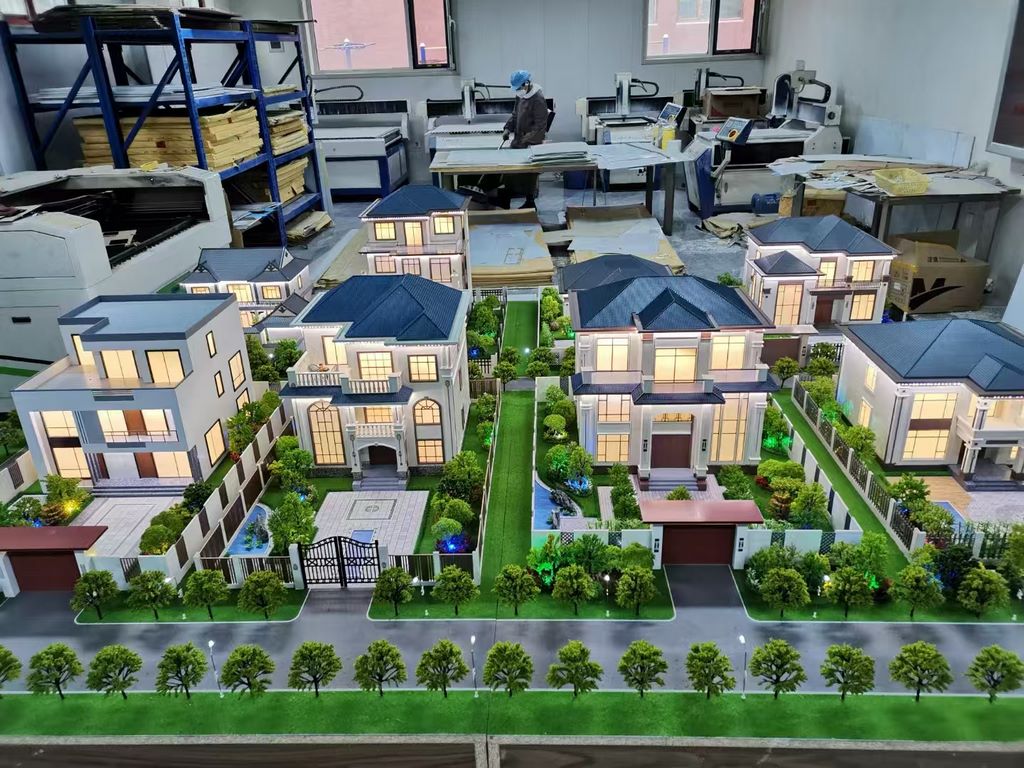
Let us break down what makes a layout model effective.
Clear Street Hierarchy
Arterials, collectors, local streets – different widths or colors.
The circulation system is the model’s backbone.
Land Use Zones
Residential (yellow), commercial (red), industrial (blue), mixed‑use (orange), open space (green).
Standardized colors for easy reading.
Block and Parcel Structure
Individual lots or blocks shown as simple rectangles.
Density indicated by block size or color intensity.
Public Facilities
Schools, hospitals, fire stations, libraries, parks.
Labeled with icons or numbers.
Transit and Mobility
Bus routes, light rail lines, bike lanes, pedestrian paths.
Dashed lines or distinct colors.
Topography and Natural Features
Rivers, hills, wetlands, flood zones.
Shown with contour lines or sculpted terrain.
Future Growth Areas
Phased expansion zones in outline or translucent colors.
A well‑designed City Layout Planning Architectural Scale Model answers the question: “Does this layout work for everyone?”
Materials for Layout Planning Models
Layout models prioritize clarity and low cost.
Laser‑cut MDF or foam core – For building massing blocks.
Colored acrylic sheets – For land use zones.
Printed vinyl – For street names and zone labels.
Fine sand or textured paint – For ground.
Magnetic base – For interchangeable zone overlays.
Avoid realistic trees and detailed facades – they distract from the layout.
The Production Process: Step by Step
How is a city layout planning model made?
Here is the typical workflow.
Step 1: Data Compilation
You provide GIS data, zoning maps, street networks, and land use classifications.
The model maker simplifies for the chosen scale.
Step 2: Scale Selection
Common scales: 1:2,500 for a small city, 1:5,000 to 1:10,000 for a large municipality.
Table size typically 1.5m x 2m to 2m x 3m.
Step 3: Base and Terrain
A reinforced MDF base is cut.
Topography is sculpted if needed (hills, rivers, coastline).
Step 4: Street and Block Layout
Roads are painted or inlaid.
Blocks are marked as solid areas.
Step 5: Land Use Color Application
Colored vinyl or painted zones are applied.
A legend panel matches colors to land use types.
Step 6: Building Massing
Simple blocks represent building footprints.
Height is indicated by block thickness (low, medium, high density).
Step 7: Public Facilities and Transit
Icons or small blocks mark schools, hospitals, transit stops.
Step 8: Quality Control and Cover
The model is inspected for legibility from standing height.
A clear acrylic cover or low railing is added.
A City Layout Planning Architectural Scale Model typically takes 6 to 10 weeks.
Applications for Layout Planning Models
Where are these models used in city planning?
Master Plan Development
Test density scenarios.
Compare two layout options side by side.
Zoning Code Updates
Show how proposed zoning changes affect the city’s form.
Public Visioning Workshops
Residents place stickers on the model to show where they want amenities.
Environmental Impact Reviews
Identify green corridors and flood‑prone areas.
Grant Applications for Planning Funds
Foundations and state agencies want to see the planning process.
Case Study: Layout Model Resolves Density Debate
A growing suburb of 50,000 residents debated a new zoning code.
One proposal concentrated density along a transit corridor.
Another spread density evenly across the city.
The planning department built a City Layout Planning Architectural Sand Table Model at 1:4,000 scale.
They created two removable land use overlays.
During a public hearing, residents and council members walked around the model.
They could see the transit‑oriented option preserved open space.
They adopted it unanimously.
The model cost $12,000.
It prevented months of political gridlock.
Cost Factors for Layout Planning Models
Area covered – 10 sq km vs. 500 sq km.
Scale – Larger scale (more detail) costs more.
Number of land use categories – 5 vs. 20.
Interchangeable overlays – Static vs. magnetic removable zones.
Topography – Flat vs. sculpted terrain.
Typical range: 35,000 for a large city‑wide model with interchangeable zoning overlays.
How to Choose a Model Maker for Layout Planning
Experience with GIS and planning data – Not just architectural models.
Simplification skills – The model must be readable, not cluttered.
Understanding of planning conventions – Standard colors and symbols.
References from planning departments – Call two.
Ask for a sample of how they represent a transit corridor and mixed‑use zone.
Maintaining and Evolving Your Layout Model
Cities change.
Your model should too.
Use magnetic or pinned overlays – Swap land use zones easily.
Print new vinyl stickers – Update street names or facility locations.
Annual review – Compare to current GIS data.
Budget for periodic updates – Every 3–5 years for major changes.
For cost‑effective updates, a Modular Architectural Sand Table Model approach is ideal – request modular terrain tiles and removable building blocks.
Display Tips for Planning Department Use
In a Dedicated Planning Room
Low table for walking around.
Good overhead lighting.
For Public Meetings
Place the model on a rolling cart.
Bring it to the community center.
Legend Panel Large and Simple
Use icons, not just text.
Keep it at reading height.
Acrylic Railing, Not Full Cover
People need to point.
A railing protects without blocking access.
Common Mistakes to Avoid
Do not add architectural details.
Roof shapes and window patterns are irrelevant at this scale.
Do not forget to label streets.
Major streets should have names or numbers.
Do not use realistic tree symbols.
A green dot is enough for a park.
Do not choose a scale too small.
At 1:20,000, individual blocks disappear.
Do not ignore accessibility.
The model must be visible to wheelchair users – waist height.
Integrating with Other Planning Model Types
A layout planning model is often the first in a family of models.
An Urban Planning Sand Table Model adds infrastructure and utility details to the same base. You can start with a layout model and expand.
A City Planning Scale Model for government approvals might include more building detail – but your layout model serves the early visioning phase.
Once construction begins, an Urban Construction Sand Table Model takes over, showing phasing and temporary features.
For long‑term use across multiple departments, a Modular Architectural Sand Table Model allows zoning overlays and building blocks to be swapped as the city evolves.
When procuring models for several districts or for multiple city departments, buying from an Architectural Scale Model Wholesale supplier can significantly reduce costs.
Each type builds on the previous. The layout model is the foundation.
Future Trends in Layout Planning Models
Augmented reality overlays – Scan the model to see demographic data or traffic simulations.
Live zoning updates – LEDs change color when zoning codes are updated digitally.
3D printed modular blocks – Replace a block in hours, not weeks.
Community‑driven labeling – Residents add digital comments via QR codes on the model.
Yet the core remains.
Planners need to see the whole city to make wise decisions.
A physical layout model does that best.
Conclusion
A City Layout Planning Architectural Scale Model is a fundamental tool for good urbanism.
It helps you see patterns, test scenarios, and build consensus.
Focus on street hierarchy, land use colors, and public facilities.
Keep architectural details to a minimum.
Plan for modular updates.
Whether you are updating a zoning code, creating a new master plan, or engaging your community, start with a layout model.
Your decisions will be better informed.
Your city will function better.
And remember – whether you need an Urban Planning Sand Table Model for detailed infrastructure, a City Planning Scale Model for council approvals, an Urban Construction Sand Table Model for phasing, a Modular Architectural Sand Table Model for easy updates, or Architectural Scale Model Wholesale for multiple districts, each serves a specific stage. But for the initial city layout, the dedicated city layout planning model is where every great city begins.
Model your layout. Build a better city.


