LED Lighting Sand Table Model Installation
Introduction
An LED‑lit sand table model is a powerful communication tool.
It highlights transit lines, future growth phases, and land use zones.
But the lighting is only as good as its installation.
Poor wiring, uneven illumination, or controller glitches ruin the effect.
A professional LED Lighting Sand Table Model Installation ensures your model performs flawlessly for years.
This guide explains the installation process.
What to consider before the lights go in.
And how different model bases affect LED integration.
Let us begin.
What Is LED Lighting Sand Table Model Installation?
It is the process of embedding, wiring, and programming LEDs into a physical miniature.
LED Lighting Sand Table Model Installation includes:
Planning lighting zones (transit corridors, buildings, streetlights).
Routing wires through the base.
Installing micro‑LEDs and fiber optics.
Connecting controllers and power supplies.
Programming sequences (phasing, day‑night cycles).
Installation must be done before final landscaping to hide wires.
It requires precision and knowledge of low‑voltage electronics.
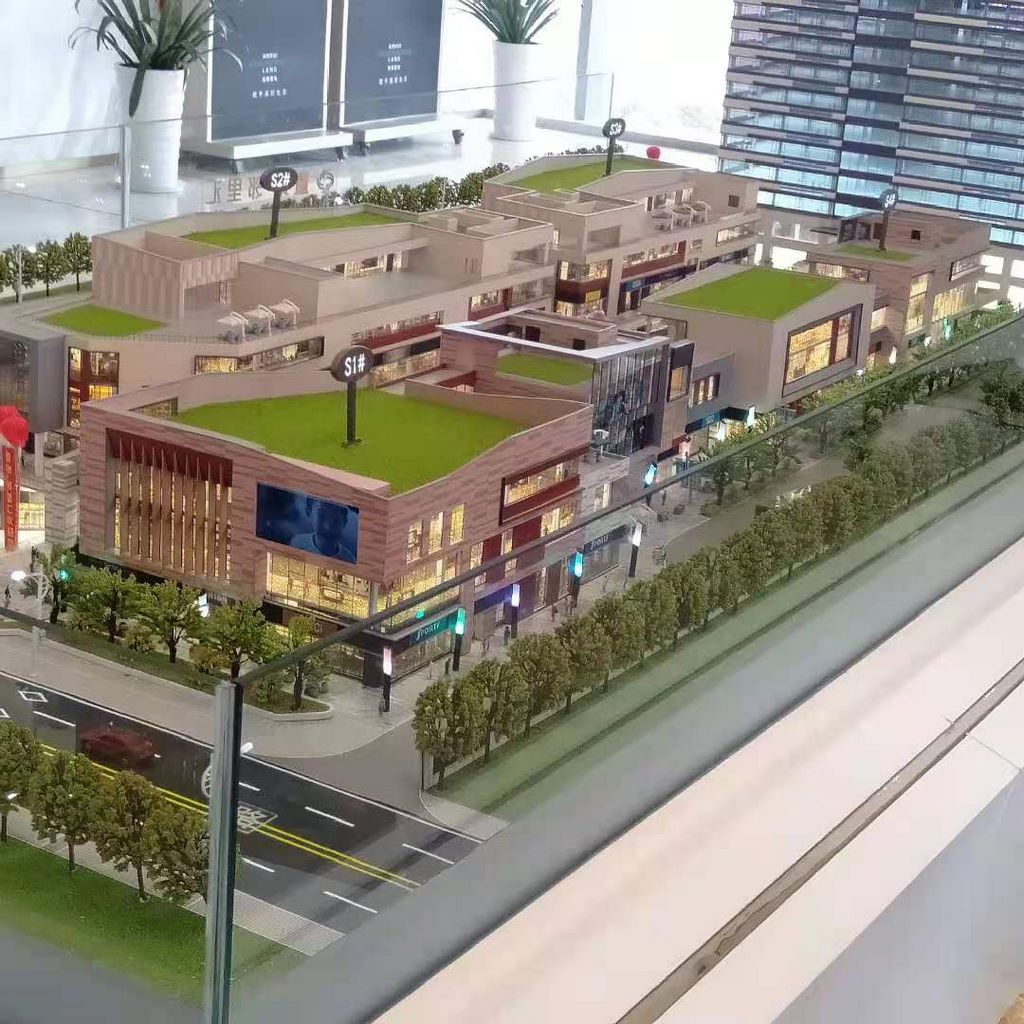
Types of LED Installations for Different Model Bases
Wooden Frame Architectural Sand Table Model
A Wooden Frame Architectural Sand Table Model offers natural aesthetics but requires careful wire routing.
Hollow sections inside the wooden frame can hide cables.
Drill small access holes behind removable panels.
Avoid routing wires through unsealed wood in humid environments – moisture can corrode connections.
Metal Structure Urban Planning Sand Model
A Metal Structure Urban Planning Sand Model is ideal for LED integration.
Hollow aluminum or steel beams act as built‑in cable trays.
Magnetic or bolted access panels allow easy maintenance.
Metal frames also provide a stable ground for electronics.
3D Printing Architectural Sand Table Model
For a 3D Printing Architectural Sand Table Model, consider printing channels directly into the base or building components.
Design the digital file with wire paths before printing.
Post‑print drilling may crack printed parts – pre‑planned channels are safer.
ABS Material Architectural Sand Table Model
An ABS Material Architectural Sand Table Model is lightweight and easy to drill.
ABS does not absorb moisture, so wires can be surface‑routed in hidden areas.
Use solvent‑based adhesives to secure wire clips without damaging the material.
Resin Craft Urban Planning Scale Model
A Resin Craft Urban Planning Scale Model requires the most careful LED installation.
Resin is brittle.
Embed fiber optic bundles before the resin cures.
Post‑curing drilling risks cracking – pre‑embedding is essential.
The LED Installation Process Step by Step
Step 1 – Lighting Design and Zone Planning
Identify which elements need illumination:
Building interiors (warm white LEDs).
Transit lines (animated blue or green strips).
Phasing zones (different colors for Phase 1, 2, 3).
Streetlights and path lights (fiber optics).
Create a wiring diagram showing power supplies, controllers, and wire runs.
Step 2 – Base Preparation
Drill channels or route grooves into the model base.
For wooden frames, use a router to cut channels before assembly.
For metal structures, use pre‑extruded cable trays.
For resin or ABS bases, design wire paths into the digital model.
Step 3 – LED and Fiber Optic Installation
Micro‑LEDs – Soldered to flexible strips or individual wires. Placed behind building windows or under water features.
Fiber optics – Threaded through thin tubes (0.5mm diameter). Ends positioned at streetlight locations.
LED strips – Cut to length and adhered along transit corridors or under roof edges.
Step 4 – Wiring and Power Management
Route all wires to a central distribution hub (under the base).
Use connectors so sections can be removed for transport.
Attach to a low‑voltage power supply (5V or 12V).
Include fuses or current‑limiting resistors.
Step 5 – Controller Programming
Program the microcontroller (Arduino, or off‑the‑shelf DMX controller).
Define sequences:
Day mode – all lights off or dim.
Night mode – warm windows, glowing transit lines.
Phasing mode – Phase 1 lights, then Phase 2, etc.
Step 6 – Testing and Adjustment
Power on the system.
Check for even brightness, correct colors, and smooth animation.
Adjust resistor values if some LEDs are too bright or dim.
Ensure no wires are pinched or shorted.
Step 7 – Final Landscaping and Cover
Once lighting is tested, add final landscaping (trees, grass, water features) to hide wire ends.
Install the clear acrylic cover.
The cover should have ventilation holes if LEDs generate heat (unlikely for modern low‑power LEDs).
Choosing the Right LED Components
| Component | Recommendation |
|---|---|
| LED type | SMD 0402 or 0603 (tiny), or COB strips for straight lines |
| Color temperature | Warm white 2700‑3000K for buildings; cool white 5000K for transit lines |
| Brightness | 5‑10 lumens per LED for interior; brighter for spotlights |
| Power supply | 12V for longer runs, 5V for small models. Use certified supplies only. |
| Controller | Arduino Nano (custom), or pre‑programmed DMX (simpler) |
| Wiring | 30 AWG enameled copper wire (almost invisible) |
Case Study: LED Installation for a Transit Corridor Model
A regional planning authority commissioned a model of a 50‑km light rail corridor.
The model was built on a Metal Structure Urban Planning Sand Model base with a brushed aluminum frame.
The LED Lighting Sand Table Model Installation involved:
200 meters of fiber optic for streetlights.
50 meters of blue LED strip for the rail line.
300 micro‑LEDs for station buildings.
A DMX controller created an animated light pulse traveling from one end of the corridor to the other, simulating train movement.
The installation took two weeks.
The model now operates 12 hours daily in the authority’s public gallery.
Cost Factors for LED Installation
Number of LEDs – 20 vs. 500.
Fiber optics – Adds cost for streetlight effects.
Programming complexity – Simple on/off vs. animated sequences.
Integration with base – Pre‑channeled bases cost less to retrofit.
Power supply – Larger models need higher capacity supplies.
Typical range: 8,000 for a complex animated system with hundreds of LEDs and fiber optics.
Common Installation Mistakes to Avoid
Do not use standard super glue near LEDs – the fumes fog acrylic and resin.
Do not solder wires inside the model after landscaping – melted flocking is a fire risk.
Do not use a single power supply for a very long LED strip – voltage drop causes dimming at the far end. Use multiple feed points.
Do not forget to add a master switch – turning off the model for cleaning extends LED life.
Future Trends in LED Sand Table Model Installation
Wireless power – Inductive coils under the base eliminate visible wires.
App control – Adjust brightness and colors from a tablet.
Real‑time data – LEDs change based on live traffic or sensor input.
Eco‑friendly LEDs – Lower power consumption, longer lifespan.
Conclusion
A professional LED Lighting Sand Table Model Installation transforms a static display into an engaging, informative experience.
Plan your lighting zones before construction.
Choose the right base to simplify wiring.
For natural warmth with hidden cable channels, use a Wooden Frame Architectural Sand Table Model.
For industrial strength and built‑in cable trays, specify a Metal Structure Urban Planning Sand Model.
For rapid prototyping with pre‑designed wire paths, a 3D Printing Architectural Sand Table Modelis ideal.
For lightweight, moisture‑resistant models that are easy to drill, choose an ABS Material Architectural Sand Table Model.
For ultra‑detailed resin pieces, pre‑embed fiber optics before curing – a Resin Craft Urban Planning Scale Model can be beautifully lit with careful planning.
Contact an installation specialist today.
Share your lighting concept.
Get a professional LED quote.
Ready to install LED lighting in your sand table model? Request a consultation with your model specifications and lighting goals. Get a response within 48 hours.


