Urban Road Network Planning Sand Table Model用
Introduction
Roads are the arteries of a city.
When they clog, the whole city suffers.
Traffic engineers face complex decisions.
Intersection design, lane counts, signal timing, transit integration.
Digital simulations are powerful but abstract.
A physical model brings clarity.
Specifically, an Urban Road Network Planning Sand Table Model.
This guide explains why road network models matter.
What features to include.
And how to use them for better traffic planning.
Let us begin.
What Is an Urban Road Network Planning Sand Table Model?
It is a physical miniature of a city’s street grid.
Built on a sand‑textured base.
An Urban Road Network Planning Sand Table Model focuses on the circulation system:
Arterials, collectors, local streets, intersections, traffic signals, transit lanes, bike paths, and pedestrian walkways.
Buildings are shown as simple massing blocks.
The road network is the star.
This model is used by traffic engineers, transportation planners, and municipal agencies.
Why a Physical Model for Road Networks?
Digital traffic models are essential.
But they hide the whole network behind zoom and pan.
A physical Urban Road Network Planning Sand Table Model sits on a table.
Engineers see the entire grid at once.
They notice bottlenecks and missing connections a screen obscures.
Also, physical models democratize discussion.
A city council member can trace a proposed bypass.
A resident can point at a dangerous intersection.
No software training needed.
Everyone speaks the same visual language.
Key Features of a Road Network Sand Table Model
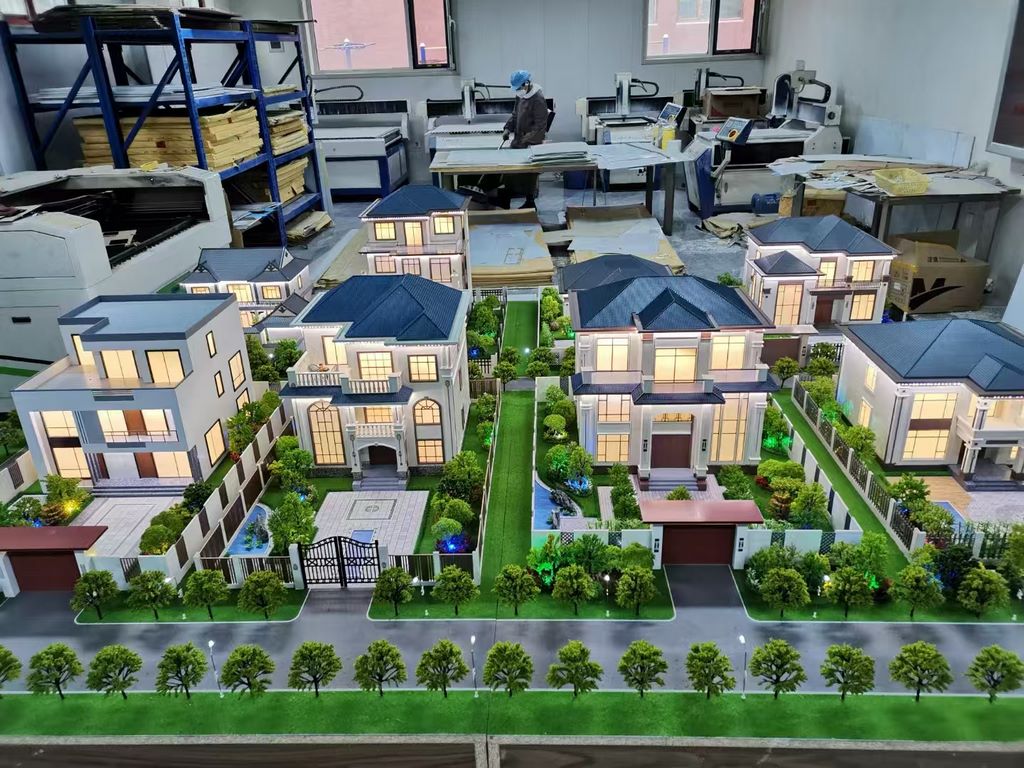
Let us break down what makes a model useful for traffic planning.
Hierarchical Road Classification
Arterials (thick lines), collectors (medium), local streets (thin).
Different colors or widths for each class.
Intersection Detail
Signalized vs. unsignalized intersections marked.
Roundabouts shown with circular features.
Turn lanes indicated with arrows or color coding.
Transit Infrastructure
Bus lanes, BRT corridors, light rail tracks, subway entrances.
Dashed lines or distinct colors.
Active Mobility
Bike lanes, pedestrian paths, shared mobility hubs (bike‑share, scooter parking).
Often shown with thin colored lines.
Traffic Flow Simulation (Optional)
LEDs embedded in road lanes.
Programmed to show bi‑directional light particle flow – direction and density of traffic.
Connectivity and Gaps
Missing links, dead ends, and future road extensions highlighted.
A well‑crafted Urban Road Network Planning Sand Table Model answers the question: “Does this network move people efficiently?”
Materials for Road Network Models
Road network models prioritize clarity and durability.
Laser‑cut MDF or acrylic – For building massing blocks.
Colored acrylic sheets or vinyl – For road classifications and transit lanes.
Fine sand or textured paint – For ground and open space.
3mm amber‑colored acrylic – For expressway grooves with embedded optical fibers.
0402 surface‑mount LEDs – For traffic flow simulation on magnetic‑controlled tracks.
Printed vinyl overlays – For lane markings and signal locations.
Avoid realistic landscaping – trees and shrubs clutter the network view.
The Production Process: Step by Step
How is a road network sand table model made?
Here is the typical workflow.
Step 1: Network Data Compilation
You provide GIS data, traffic counts, and road classification maps.
The model maker simplifies for the chosen scale.
Step 2: Scale Selection
Common scales: 1:1,000 to 1:5,000.
1:2,000 for a detailed network.
1:5,000 for a large metropolitan area.
Step 3: Base and Terrain
A reinforced MDF or aluminum base is cut.
Topography is sculpted if needed (hills, rivers affecting road alignment).
Step 4: Road Network Layout
Major roads are painted or inlaid with fine sand.
Laser cutting ensures high‑precision cuts for roads and intersections.
Step 5: Road Classification and Markings
Arterials thick, collectors medium, local streets thin.
Lane markings, turn arrows, and signal locations added.
Step 6: Transit and Active Mobility
Bus lanes, bike paths, and pedestrian zones applied as colored overlays.
Step 7: Traffic Flow Simulation (Optional)
LEDs and fiber optics installed along key corridors.
Programmed for directional light particle flow.
Step 8: Building Massing for Context
Simple blocks represent buildings for orientation.
No facade details – the network is the focus.
Step 9: Quality Control and Cover
The model is inspected for legibility from standing height.
A clear acrylic cover or low railing is added.
A custom Urban Road Network Planning Sand Table Model typically takes 8 to 12 weeks.
Applications for Road Network Models
Where are these models used in transportation planning?
Congestion Hotspot Analysis
Identify bottlenecks visually.
Test alternative route configurations.
Intersection Redesign
Compare signalized vs. roundabout options.
Show turn lane expansions.
Transit Network Planning
Visualize bus rapid transit corridors.
Integrate light rail with existing streets.
Complete Streets Policy
Show balanced space for cars, buses, bikes, and pedestrians.
Build political support for lane reallocations.
Emergency Evacuation Planning
Identify primary and secondary evacuation routes.
Coordinate with emergency services.
Developer Impact Studies
Show how a new development will affect surrounding roads.
Mitigation measures become clear.
Integration with Urban Planning Models
An Urban Planning Sand Table Model often includes road networks as part of land use zoning – but this model puts the network first.
Support for City Planning Approvals
A City Planning Scale Model for government approval may require detailed road network representation.
Case Study: Network Model Reduces Intersection Delay by 25%
A mid‑sized city had a chronically congested intersection.
Four previous traffic studies proposed different solutions.
The transportation department commissioned a Urban Road Network Planning Sand Table Modelat 1:1,000 scale covering a 1km radius.
The model showed the existing intersection and three proposed reconfigurations as removable overlays.
During a stakeholder meeting, engineers, council members, and residents gathered around the model.
They tested each option by tracing traffic flows.
The roundabout option was chosen unanimously.
Post‑construction data showed a 25% reduction in average delay.
The model cost 500,000.
Cost Factors for Road Network Models
Area covered – 1 sq km vs. 100 sq km.
Scale – Larger scale (more detail) costs more.
Road classification complexity – 3 classes vs. 8 classes.
Transit and active mobility detail – Basic roads vs. full multimodal network.
Traffic flow simulation – Static vs. LED light particle flow.
Typical range: 50,000 for a large metropolitan network with full LED traffic simulation.
How to Choose a Model Maker for Road Network Projects
Experience with transportation data – Not just architectural models.
Ability to show road hierarchy – Clear visual distinction between road classes.
Traffic flow simulation capability – Ask for a demo of LED light particle flow.
References from transportation agencies – Call two.
Ask for a sample of how they represent a complex interchange (e.g., cloverleaf vs. diamond).
Maintaining and Updating Your Network Model
Road networks change.
Your model should too.
Use magnetic or pinned road overlays – Swap configurations easily.
Replaceable intersection modules – Test different designs.
Annual review – Compare to current traffic counts and GIS data.
Budget for updates – Every 3–5 years for major network changes.
For easy updates, a Modular Architectural Sand Table Model approach is ideal – request modular road tiles and removable intersection blocks.
Display Tips for Traffic Engineering Use
In a Transportation Department Meeting Room
Low table for walking around.
Even overhead lighting – no shadows on the network.
For Public Workshops
Place the model on a rolling cart.
Bring it to community centers.
Provide laser pointers (non‑laser for eye safety).
Legend Panel Must Be Clear
Show what each road thickness and color means.
Include symbols for signals, roundabouts, and transit stops.
Acrylic Railing, Not Full Cover
Engineers need to point and trace routes.
A low railing protects without blocking access.
Common Mistakes to Avoid
Do not add realistic trees or landscaping.
They clutter the network view – use simple green blocks for parks.
Do not forget road hierarchy.
Without thickness or color differences, local streets look like arterials.
Do not ignore transit.
Bus lanes and bike paths are critical for multimodal planning.
Do not choose a scale too small.
At 1:10,000, intersections become dots – useless for traffic analysis.
Do not skip a legend.
Without a legend, no one knows what the colors mean.
Integrating with Other Planning Model Types
A road network model often works alongside other planning tools.
An Urban Planning Sand Table Model focuses on land use and zoning – your network model shows how people move between those zones.
A City Planning Scale Model for government approvals may include the network as context – your model is the detailed version.
During construction, an Urban Construction Sand Table Model takes over, showing phasing and temporary road closures.
For overall city layout, a City Layout Planning Architectural Scale Model shows land use density – your network model shows the circulation system that serves it.
For greenfield development, a New District Urban Planning Sand Model starts with a blank slate – the road network is the first element to be designed and modeled.
Each type serves a different stage. The road network model is the backbone of transportation planning.
Future Trends in Road Network Sand Table Models
Real‑time traffic data – LEDs change color based on live congestion feeds.
Augmented reality overlays – Scan the model to see traffic counts or accident history.
Modular intersection kits – Swap out signal timings or lane configurations.
Autonomous vehicle simulation – Show dedicated AV lanes and pickup/drop‑off zones.
Yet the core remains.
Traffic engineers need to see the whole network to optimize it.
A physical model does that best.
Conclusion
An Urban Road Network Planning Sand Table Model is a powerful tool for transportation planning.
It reveals bottlenecks, tests designs, and builds consensus.
Focus on road hierarchy, transit integration, and legibility.
Keep landscaping minimal.
Plan for modular updates.
Whether you are a traffic engineer, transportation planner, or city official, invest in a network model.
Your streets will flow better.
Your residents will travel safer.
And remember – whether you need an Urban Planning Sand Table Model for land use, a City Planning Scale Model for approvals, an Urban Construction Sand Table Model for phasing, a City Layout Planning Architectural Scale Model for density, or a New District Urban Planning Sand Model for greenfield development, each benefits from a clear road network. But for dedicated traffic analysis, the urban road network planning sand table model is indispensable.
Model your roads. Move your city.


