Urban Traffic Planning Sand Table Model
Introduction
Traffic congestion costs cities billions.
It wastes time, pollutes air, and frustrates citizens.
But how do you plan a transportation system that moves people efficiently?
Digital maps show routes, but they hide the spatial experience.
You need a physical model.
That model is an Urban Traffic Planning Sand Table Model.
This guide explains why traffic models matter.
What features to include.
And how to use them for better mobility.
Let us begin.
What Is an Urban Traffic Planning Sand Table Model?
It is a physical miniature of a city’s transportation network.
Built on a sand‑textured base.
An Urban Traffic Planning Sand Table Model shows roads, transit lines, bike lanes, pedestrian paths, intersections, traffic signals, and parking facilities.
Unlike a general city model, this one prioritizes movement.
Road hierarchies are clear.
Bottlenecks are visible.
The model is used by transportation engineers, traffic planners, and city mobility departments.
Why Traffic Planning Needs a Physical Model
Digital traffic simulations are powerful.
But they hide the full network behind zoom and pan.
An Urban Traffic Planning Sand Table Model reveals the whole city at once.
Engineers see where a missing connection forces cars onto a congested arterial.
They identify gaps in the bike network.
Also, the model supports public engagement.
Residents point at dangerous intersections.
They understand why a new roundabout is needed.
For interdepartmental coordination, traffic planners align with land use and infrastructure teams.
Key Features of an Urban Traffic Planning Sand Table Model
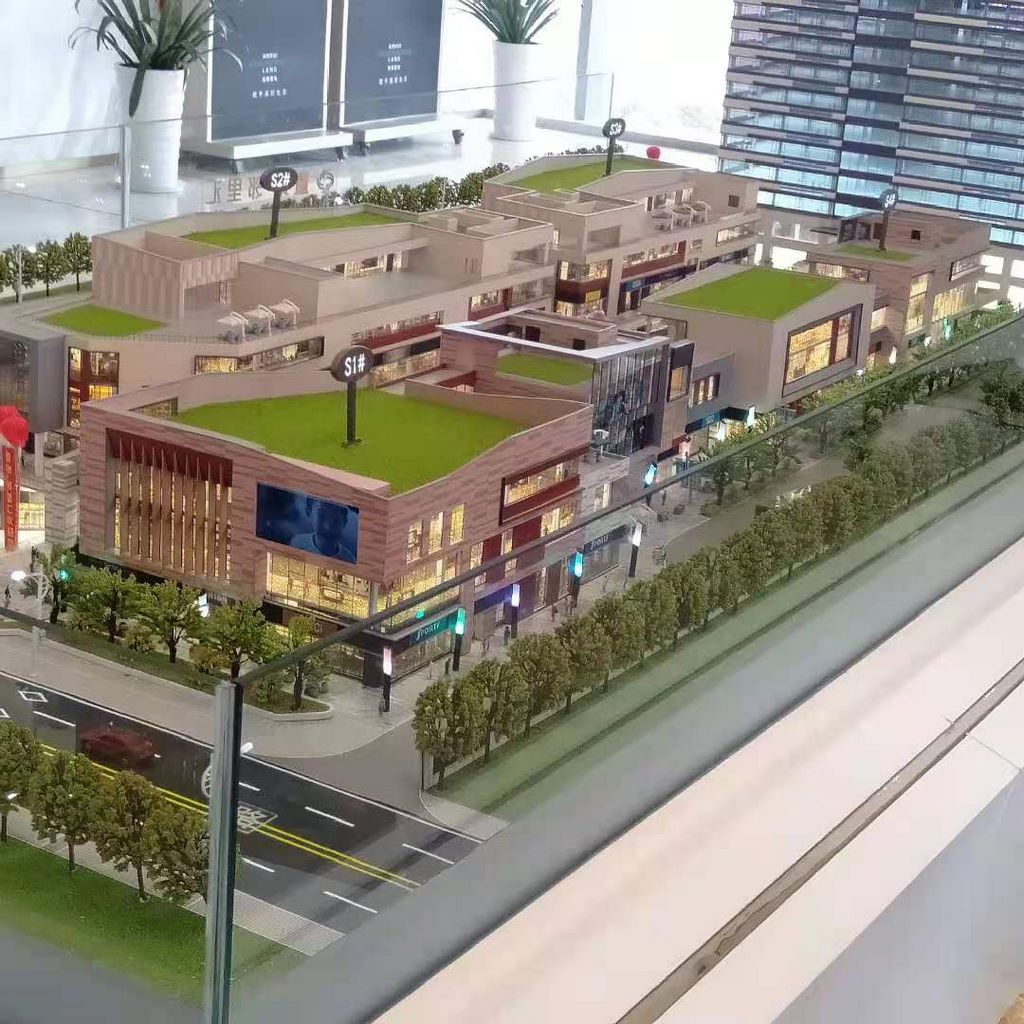
Let us break down what makes a model effective for traffic planning.
Road Hierarchy
Arterials (thick lines), collectors (medium), local streets (thin).
Different colors or line thicknesses.
Intersection Types
Signalized intersections, roundabouts, stop‑controlled, grade‑separated interchanges.
Symbols or distinct markings.
Transit Infrastructure
Bus routes, bus rapid transit (BRT) corridors, light rail, subway lines, train stations.
Color‑coded with line styles.
Active Mobility
Bike lanes (green lines), shared paths, pedestrian zones, crosswalks.
Critical for complete streets.
Traffic Calming and Safety
Speed humps, raised crosswalks, chicanes, pedestrian islands.
Indicated with small symbols.
Parking and Loading
On‑street parking zones, parking garages, loading zones.
Helps manage curb space.
Traffic Flow and Congestion Hotspots
Areas of known congestion highlighted (e.g., red overlays).
Future capacity needs.
Future Projects and Phasing
Planned road extensions, new transit lines, bike network expansions.
Phase 1, 2, 3 distinguished.
Interactivity
Removable overlays for different traffic scenarios.
LEDs to simulate traffic flow or signal timing.
A well‑designed Urban Traffic Planning Sand Table Model answers: “How do people and goods move through this city?”
Materials for Traffic Planning Models
Traffic models emphasize clarity of networks.
Laser‑cut MDF or acrylic – For building massing blocks (minimal).
Colored acrylic or vinyl – For road hierarchies and transit lines.
Fine sand or textured paint – For ground.
Small acrylic symbols – For intersections, signals, roundabouts.
Printed vinyl – For labels and project phasing.
Removable transparent overlays – For congestion and scenario planning.
LED strips – For traffic flow simulation (optional).
Avoid decorative landscaping – focus on the transportation network.
The Custom Production Process: Step by Step
How is an urban traffic planning sand table model made?
Here is the typical workflow.
Step 1: Traffic and Mobility Data
You provide road network GIS, transit routes, bike plans, traffic counts, congestion maps, and capital project schedules.
The model maker identifies the hierarchy and critical nodes.
Step 2: Scale Selection
Common scales: 1:2,000 to 1:10,000.
1:2,000 for a detailed downtown network.
1:5,000 for a whole city.
Step 3: Base and Context
A reinforced base is cut.
Building footprints added as light grey blocks for orientation.
Step 4: Road Hierarchy
Arterials, collectors, and local streets applied with distinct thicknesses.
Step 5: Intersections
Signalized, roundabout, and grade‑separated intersections marked.
Step 6: Transit and Active Mobility
Bus routes, BRT, rail, bike lanes, and pedestrian paths added as colored lines.
Step 7: Traffic Calming and Safety
Symbols for speed humps, crosswalks, etc.
Step 8: Parking and Loading Zones
Indicated with small icons.
Step 9: Congestion and Bottlenecks
Red overlays for known congestion hotspots.
Step 10: Future Projects
Planned road extensions and transit lines shown as dashed lines with phase labels.
Step 11: Interactivity
Removable congestion overlays.
LEDs to simulate directional flow.
Step 12: Quality Control and Cover
The model is inspected for legibility.
A clear acrylic cover or low railing is added.
A custom Urban Traffic Planning Sand Table Model typically takes 8 to 12 weeks.
Applications for Traffic Planning Models
Where are these models used?
Mobility Master Planning
Coordinate roads, transit, bike, and pedestrian networks.
Congestion Hotspot Analysis
Identify and prioritize intersection improvements.
Safety and Vision Zero Planning
Locate high‑crash intersections.
Test traffic calming designs.
Public Engagement and Community Workshops
Residents point at dangerous crossings.
Build support for roundabouts or bike lanes.
Transit Network Design
Show how a new BRT line connects neighborhoods.
Integration with Other Planning Models
A New Energy City Planning Scale Model might add EV charging stations and solar‑powered traffic signals – your model provides the road network.
Case Study: Traffic Model Reduces Intersection Delay by 30%
A mid‑sized city had a chronically congested intersection.
Three previous studies failed to produce consensus.
The transportation department commissioned an Urban Traffic Planning Sand Table Model at 1:1,000 scale, covering the intersection and surrounding blocks.
The model showed existing lanes, traffic signals, and adjacent land uses.
Using removable overlays, engineers tested a roundabout, a grade‑separated underpass, and a signal timing change.
With residents and council members around the model, they chose the roundabout.
Post‑construction data showed a 30% reduction in average delay.
The model cost $22,000.
Cost Factors for Urban Traffic Planning Models
Area covered – 5 sq km vs. 100 sq km.
Network detail – Major roads only vs. complete street hierarchy.
Transit and active mobility – Basic vs. full multimodal.
Interactivity – Static vs. removable congestion overlays and LED flow.
Typical range: 70,000 for a city‑wide model with full multimodal networks and scenario tools.
How to Choose a Model Maker for Traffic Projects
Experience with transportation models – Not just land use.
Ability to represent road hierarchy and intersection types – Clear visual distinction.
Understanding of traffic calming and safety features – Speed humps, roundabouts.
References from transportation agencies – Call two.
Ask for a sample of a model showing a roundabout vs. a signalized intersection.
Maintaining and Updating Your Traffic Model
Traffic networks change as new roads and transit lines open.
Use removable overlays – Update congestion hotspots.
Replaceable project stickers – Change planned projects to completed.
Annual review – Compare to new traffic counts.
Budget for updates – Every 2‑3 years for major network changes.
For a Historical City Protection Planning Model that includes traffic calming in a historic district, the same modular approach works.
Display Tips for Maximum Impact
In a Transportation Department Meeting Room
Low pedestal with even lighting.
A legend showing road hierarchy and transit colors.
For Public Workshops
Place the model on a rolling cart.
Use laser pointers (non‑laser).
Provide stickers for residents to mark problem intersections.
For Council Hearings
Highlight congestion hotspots with red overlays.
Common Mistakes to Avoid
Do not make local streets as thick as arterials.
Hierarchy must be visually obvious.
Do not forget transit and bike lanes.
Multimodal planning is essential.
Do not ignore intersections.
They are where congestion happens.
Do not make future projects invisible.
Use dashed lines for planned extensions.
Do not skip a legend.
Without a legend, no one knows what a green line (bike lane) vs. a blue line (bus route) means.
Integrating with Other Planning Model Types
A traffic model works alongside specialized models for different contexts.
For a city planning renewable mobility, a New Energy City Planning Scale Model adds EV charging and hydrogen stations – your model shows the road network serving them.
For heritage areas, a Historical City Protection Planning Model includes traffic calming and pedestrian zones – your model integrates with those restrictions.
For a polycentric region, an Urban Cluster Planning Sand Table Model shows inter‑city corridors – your model provides the local street network within each cluster.
For a small city, a County Town Urban Planning Scale Model includes main streets and rural roads – your model adds detailed intersection and traffic calming.
For green mobility, an Urban Landscape Planning Sand Table Model adds tree‑lined boulevards and greenways – your model ensures bike lanes connect to parks.
Each type adds depth. The traffic model is the circulatory system of the city.
Future Trends in Urban Traffic Sand Table Models
Live traffic data – LEDs show real‑time congestion levels.
Augmented reality – Scan an intersection to see crash history.
Modular intersection kits – Swap roundabout for signal.
Autonomous vehicle lanes – Show dedicated AV corridors.
Yet the core remains.
Traffic engineers need to see the whole network to optimize it.
A physical model does that best.
Conclusion
An Urban Traffic Planning Sand Table Model is a powerful tool for designing cities that move people efficiently and safely.
It reveals bottlenecks, tests designs, and builds public support.
Focus on road hierarchy, multimodal networks, and intersections.
Add congestion overlays and future projects.
Use the model in every public workshop.
Whether you are a transportation engineer, city planner, or mayor, invest in a traffic model.
Your residents will commute faster.
Your streets will be safer.
And remember – whether you need a New Energy City Planning Scale Model for green mobility, a Historical City Protection Planning Model for sensitive areas, an Urban Cluster Planning Sand Table Model for regional corridors, a County Town Urban Planning Scale Model for small‑city streets, or an Urban Landscape Planning Sand Table Model for greenways, each relies on good traffic planning. The dedicated urban traffic planning sand table model is the blueprint for movement.
Model your traffic. Move your city forward.


